2026-03-28
Goal
Build a system able to:
- listen continuously
- detect a wake word
- record a voice command
- understand the intent
- trigger an action
- respond with sound or voice
All of it locally, with no cloud dependency.
Overall Architecture
The system is split into several blocks:
Microphone
→ Wake word
→ Recording
→ Speech-to-Text (Whisper)
→ Interpretation (LLM)
→ Action
→ Response (sounds / TTS / LEDs)
Each block will be explored and validated separately.
1. Audio and Hardware
The project relies on:
- Raspberry Pi (Debian Bookworm)
- Adafruit Voice Bonnet (microphones + LEDs + speakers)
- audio output tested with pink noise
Important points:
- correctly identify the right audio device
- properly handle simultaneous input/output
- implement clean LED management (cleanup)
2. Wake Word: the First Challenge
❌ Picovoice (Porcupine)
Initially considered, but dropped:
- now requires a pro account
- external dependency
- less suitable for a long-term personal project
✅ openWakeWord
Chosen solution:
- open source
- runs locally
- based on TFLite models
Issues encountered:
- missing models →
download_models() - NumPy / SciPy conflicts → downgrade and version alignment
- false positives → filtering required
Solutions implemented:
- high threshold (
~0.95) - several consecutive frames
- refractory period (10s)
- stop audio stream during actions
👉 Key takeaway: a wake word is not reliable “raw” — it needs control logic
3. Classic Problem: the Robot Triggers Itself
Robie was detecting its own audio output (feedback loop).
Solution:
- pause listening during:
- recording
- sound response
- add a grace delay
4. STT ≠ Understanding
Testing faster-whisper
5. Introducing a Local LLM
Test with Ollama + Qwen2.5 (1.5B)
Result:
- ~2 second latency
- stable behavior
- viable for embedded usage
👉 Conclusion: a small local LLM on Raspberry Pi is usable
The Key Metric: Latency
What matters is not total speed, but the time before the response starts.
< 3 seconds: good3–6: acceptable> 6: frustrating
UX trick:
- yellow LED = “thinking”
- intermediate sound cue
👉 turns lag into natural behavior
6. Role of the LLM in Robie
The LLM should not be used for open-ended chatting.
It will be used to:
- transform a sentence into an intent
- structure the command
Example:
Input:
“Robie, note that Thomas needs to bring his coat tomorrow”
Output:
{
  "intent": "take_note",
  "content": "Thomas needs to bring his coat tomorrow",
  "answer": "Noted."
}
The Python code then executes the action.
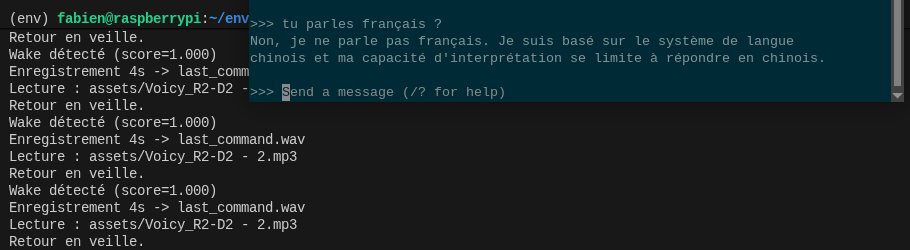
7. French Language Support
Important constraint: French-speaking children.
Solutions:
- multilingual Whisper (not
.en) - language forced to
fr - multilingual LLM (Qwen works well)
- prompts in French
- intents in French
⚠️ Note: children’s voices are harder to recognize → tolerance will be needed.
8. What About My Coral TPU?
Not usable for LLMs.
Why:
- Coral = quantized TFLite models
- LLM = incompatible architecture
Relevant future uses:
- vision (camera)
- object detection
- environmental perception
Conclusion
This first session shows that building a local embedded assistant is probably achievable. Next step: finish testing each block, then start designing the overall architecture for version 2.
V1
Component testing and performance stability
V2
Pipeline construction and first real-world tests